
TotaLivra
Studio-Grade Literary Translation with Local LLMs. Fully Offline.
TotaLivra for Mac
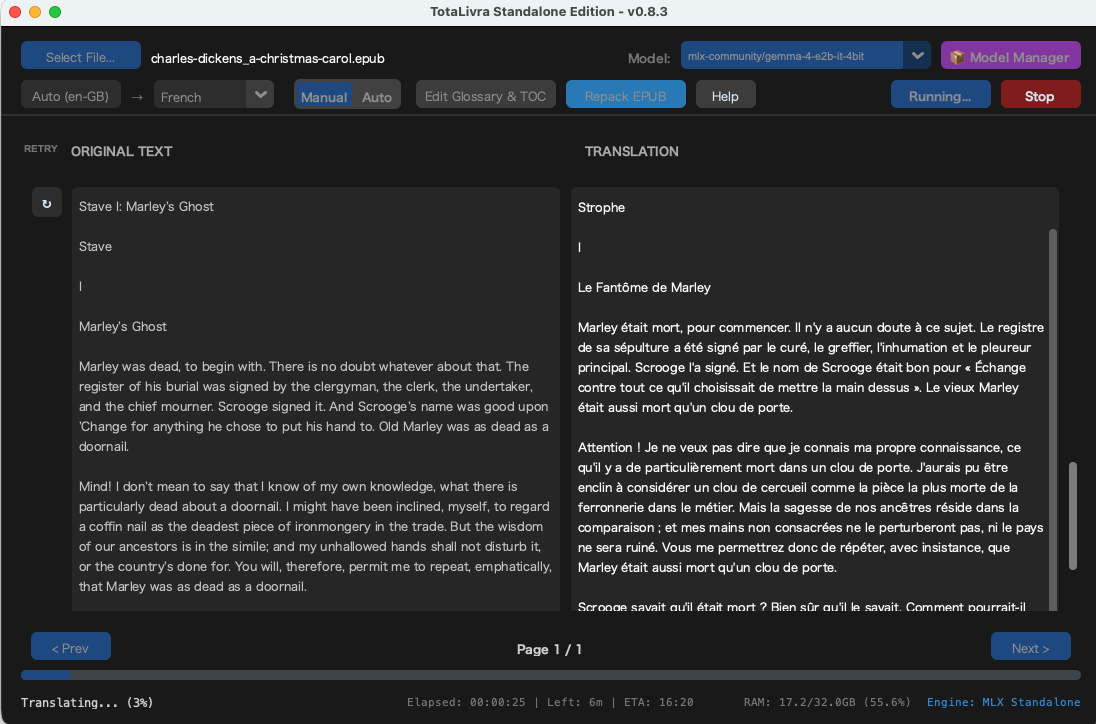
Studio-Grade Literary Translation with Local LLMs. Fully Offline.
Core Features
- 100% Offline, Private & Unlimited: No cloud processing, no subscriptions, and absolutely no token-based charges. All processing is performed locally on your machine, ensuring that your data remains entirely private and secure. Your text data is never transmitted to external servers.
- Advanced Contextual Engine: Built specifically for literary translation. TotaLivra manages character profiles and story context dynamically, maintaining the author’s unique voice and avoiding the “robotic” feel of standard translators. Compatible with state-of-the-art models like Gemma and Qwen.
- Non-Destructive EPUB Repacking: Don’t lose your beautiful formatting. TotaLivra extracts the text, translates it, and repacks it into a new EPUB file seamlessly—keeping all original images, table of contents, and structural integrity intact.
Download
[System Requirements] Note: TotaLivra runs large language models (LLMs) locally. Hardware performance directly impacts translation speed and quality.
Enthusiast (Optimal for Literary Quality): 64GB+ (Required to run massive 30B+ class models like Gemma 4 31B Q8 smoothly for the ultimate reading experience).
OS: macOS 12.0 or later
Architecture: Apple Silicon (M1/M2/M3/M4) highly recommended.
Memory (RAM): * Minimum: 16GB (Suitable for smaller models like 8B)
Recommended: 32GB
[Frequently Asked Questions]
Q: What file formats are supported?
A: TotaLivra supports .epub (eBooks) and .txt (Plain Text) for input. It outputs translated .txt files and can automatically repack translated .epub files.
Q: Are there any monthly fees or character limits?
A: No. There are no subscription fees, character limits, or token-based charges. Once installed, you can translate an unlimited amount of text without additional costs.
Q: Which languages are supported?
A: TotaLivra supports mutual translation between 10 languages, including English, Japanese, French, German, Spanish, Chinese, Italian, Portuguese, Korean, and Russian.
Q: Do I need an internet connection to use it?
A: No. After the initial download of your preferred AI model, TotaLivra operates in entirely offline environments, such as airplane mode
Q: Why do I get a warning that “TotaLivraLite.app cannot be opened” or “Apple cannot check it for malicious software”?
A: Because TotaLivra Lite is an independently developed (unsigned) application, macOS’s Gatekeeper security feature blocks it by default. You can safely open the app using one of the following methods. Once you open it successfully, macOS will remember your choice, and you can double-click to open it normally from then on.
Method 1: The Right-Click Method (Easiest)
- Right-click (or hold the
Controlkey and click) the TotaLivraLite app icon. - Select Open from the context menu.
- A warning dialog will appear. Click the Open button.
Method 2: System Settings (If Method 1 doesn’t work)
Enter your Mac password or use Touch ID, then click Open on the final prompt.
Double-click the app. When the warning appears, click Done (or Cancel) to close it.
Open your Mac’s System Settings and go to Privacy & Security.
Scroll down to the Security section.
You should see a message saying that TotaLivraLite.app was blocked from use. Click the Open Anyway button next to it.
TotaLivra for Windows
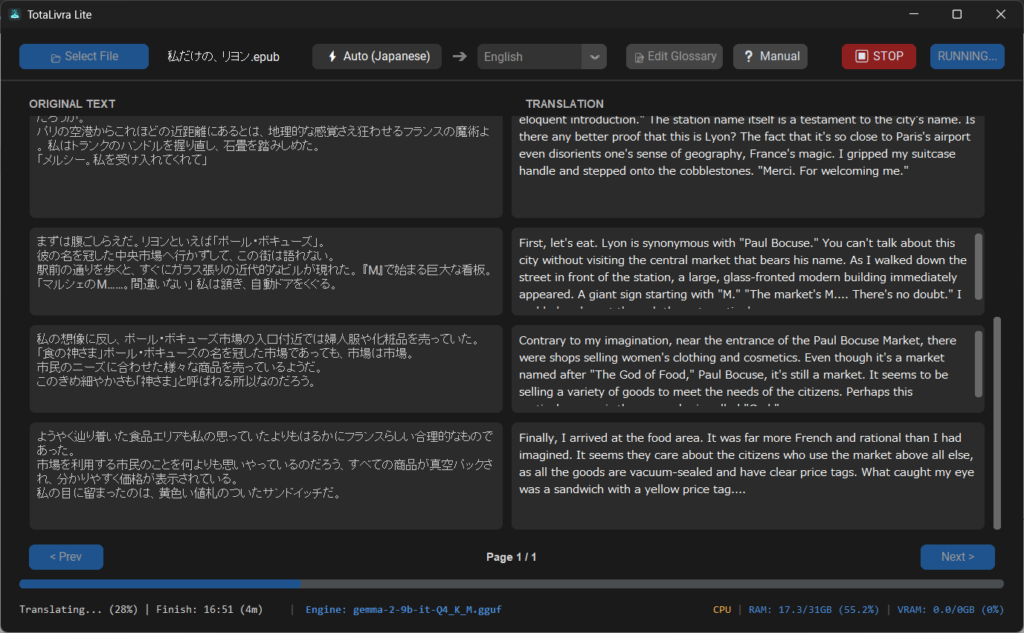
High-Grade Literary Translation with Local LLMs. Fully Offline.
Securely available on the Microsoft Store for easy installation and automatic updates.
Leave a Reply